


PLC Interview Questions and Answers

PLC Interview Questions and Answers: 30 Questions Every Automation Engineer Should Know
If you are preparing for a PLC, Automation Engineer, Control Engineer, or Industrial Automation interview, knowing PLC terminology is only the beginning. Employers want to know whether you understand how a control system actually works, how PLC programs are structured, and how you would troubleshoot a real industrial problem.
This guide covers 30 common PLC interview questions and answers, starting with PLC fundamentals and progressing to programming, Siemens TIA Portal, troubleshooting, and practical automation scenarios.
Whether you are a fresh engineering graduate preparing for your first automation interview or an experienced technician looking to move into PLC programming, these questions can help you prepare more effectively.
PLC Fundamentals Interview Questions
1. What is a PLC?
A PLC, or Programmable Logic Controller, is an industrial computer designed to monitor inputs, execute a programmed control logic, and control outputs.
PLCs are widely used in manufacturing machines, production lines, conveyors, pumping systems, packaging machines, process plants, and building automation systems.
A typical PLC receives signals from devices such as push buttons, proximity sensors, limit switches, pressure switches, and transmitters. It processes those signals according to the control program and sends commands to devices such as contactors, solenoid valves, motors, and control systems.
Unlike a conventional computer, a PLC is specifically designed for industrial environments and real-time control applications.
2. How does a PLC work?
A PLC continuously repeats a sequence commonly known as the scan cycle.
The basic sequence is:
Read the inputs → Execute the program → Update the outputs → Perform diagnostics and communication → Repeat
For example, if a proximity sensor detects a product on a conveyor, the PLC reads the sensor signal, processes the programmed logic, and may activate a motor, pneumatic valve, or other output.
The PLC repeats this process continuously, often thousands of times per second depending on the system and program.
3. What are the main components of a PLC?
The main components of a PLC system typically include:
CPU: Executes the control program and manages PLC operations.
Power supply: Provides the required electrical power for the PLC system.
Digital input modules: Receive ON/OFF signals from field devices.
Digital output modules: Control ON/OFF devices.
Analog input modules: Receive variable signals such as 0–10 V or 4–20 mA.
Analog output modules: Generate variable control signals for field devices.
Communication interfaces: Allow the PLC to communicate with HMIs, SCADA systems, drives, remote I/O, and other controllers.
Depending on the PLC family, additional modules may be used for specialized functions such as motion control, safety, temperature measurement, or high-speed counting.
4. What is the PLC scan cycle?
The PLC scan cycle is the repeated process through which the controller reads inputs, executes the control program, updates outputs, and performs other system operations.
Understanding the scan cycle is important when troubleshooting timing problems, high-speed applications, timers, counters, and communication-related issues.
For example, an input changing state does not necessarily mean that the corresponding program instruction is evaluated at exactly the same instant. The PLC processes signals according to its execution cycle and configuration.
5. What is the difference between PLC control and relay control?
Relay control uses physical relays, contactors, timers, and wiring to create the control logic.
A PLC replaces much of this physical control logic with software. Instead of creating every logical relationship through physical wiring, the engineer can implement the logic inside the PLC program.
PLC-based systems are generally easier to modify, diagnose, expand, and integrate with HMIs, SCADA systems, drives, and industrial networks.
However, understanding relay and contactor control is still extremely important because PLCs ultimately interact with real electrical and mechanical equipment.
6. What is the difference between digital and analog I/O?
Digital signals normally have discrete states such as ON/OFF, 1/0, or TRUE/FALSE.
Examples include:
Push buttons
Limit switches
Proximity sensors
Contactor feedback
Analog signals represent continuously varying values.
Examples include:
Pressure
Temperature
Flow
Level
Speed reference
Common industrial analog signals include 4–20 mA and 0–10 V.
PLC Programming Interview Questions
7. What are normally open and normally closed contacts in PLC programming?
Normally open and normally closed instructions are commonly used to represent logical conditions in PLC programs.
A normally open instruction becomes logically true when its associated bit or input is ON.
A normally closed instruction becomes logically true when its associated bit or input is OFF.
These instructions are software representations of logical conditions. They should not automatically be confused with the physical construction of a field device or electrical contact.
8. What is a latch or seal-in circuit?
A latch, also called a seal-in circuit, is a control method that allows an output to remain ON after the momentary START command is released.
A common motor control example uses a START push button, a STOP push button, and an auxiliary motor contact or PLC memory bit.
When START is pressed, the motor output turns ON. The holding logic then maintains the output until the STOP condition occurs or another interlock removes the command.
This is one of the most important basic control concepts for anyone working with PLCs.
9. What is the difference between SET/RESET and a normal output coil?
A normal output coil generally follows the logic conditions that control it during program execution.
SET/RESET instructions can be used when an application requires a bit or output to remain in a particular state until a separate reset condition occurs.
The exact behavior and best programming practice depend on the PLC platform and application. Engineers should avoid unnecessary latching because poorly designed latches can make troubleshooting more difficult.
10. What are timers and counters in a PLC?
Timers are used when a control action needs to occur based on time.
For example, a PLC may turn ON a cooling fan five seconds after a machine starts.
Counters are used to count events.
For example, a PLC may count products passing a sensor and stop a conveyor after 20 products have been processed.
Common timer functions include TON, TOF, and pulse timers, depending on the PLC platform.
11. What is an interlock in PLC programming?
An interlock is a condition designed to prevent an unsafe, incorrect, or conflicting operation.
For example, a forward motor command and reverse motor command may be interlocked so that both cannot be activated simultaneously.
Interlocks are fundamental to industrial automation because they protect equipment, processes, and personnel from incorrect sequences or conflicting commands.
12. What is the difference between local and remote I/O?
Local I/O is physically located close to the PLC CPU and is connected directly through the PLC’s local backplane or rack system.
Remote I/O is installed away from the main PLC and communicates with the controller through an industrial communication network.
Remote I/O can reduce wiring requirements and is particularly useful for large machines and production lines where field devices are distributed across different areas.
13. What is the difference between cyclic and interrupt execution?
Cyclic execution means the PLC executes the main control program repeatedly as part of its normal scan.
Interrupt execution allows specific program routines to be triggered by particular events or conditions.
Interrupts can be useful for applications where an event needs faster or more deterministic handling than ordinary cyclic program execution can provide.
Siemens PLC and TIA Portal Interview Questions
14. What is Siemens TIA Portal?
TIA Portal, or Totally Integrated Automation Portal, is Siemens engineering software used to configure, program, diagnose, and manage Siemens automation systems.
Depending on the system configuration, engineers can use TIA Portal for PLC programming, HMI configuration, drive integration, hardware configuration, diagnostics, and industrial communication.
It is widely used with Siemens PLC families such as the S7-1200 and S7-1500.
15. What is the difference between Siemens S7-1200 and S7-1500?
Both are Siemens SIMATIC PLC families, but they target different levels of automation applications.
The S7-1200 is commonly used for compact and mid-range automation applications.
The S7-1500 is designed for more demanding automation systems and offers higher performance, advanced diagnostics, greater scalability, and capabilities suited to larger and more complex machines and plants.
The correct choice depends on the application, I/O requirements, performance requirements, communication architecture, motion requirements, and overall system design.
16. What are OB, FB, FC, and DB blocks in Siemens PLCs?
These are important program blocks in Siemens PLC programming.
OB, or Organization Block, controls the structure and execution of specific program events.
FB, or Function Block, contains reusable program logic and can use an associated instance data block to store data.
FC, or Function, is used for reusable logic that does not require its own instance memory.
DB, or Data Block, is used to store data used by the PLC program.
Understanding these blocks is an important part of working effectively with Siemens PLC systems.
17. What is a PLC Data Block?
A Data Block, or DB, is an area of PLC memory used to store data.
Data blocks can contain values such as machine settings, production counters, temperature limits, operating modes, recipes, and status information.
Well-structured data blocks can make large PLC programs easier to organize and maintain.
18. What is the difference between an FB and an FC?
An FB is a function block that can retain and manage its own instance data through an associated instance DB.
An FC is a function that does not have its own instance data block.
For example, an FB can be useful for creating a reusable motor control block where each motor requires its own stored operating data.
Choosing between Abs and FCs depends on how the application needs to manage data and program structure.
19. What programming languages are available in TIA Portal?
Siemens PLCs support several IEC 61131-3 programming languages and methods depending on the PLC family and software version.
Commonly encountered languages include:
LAD: Ladder Diagram
FBD: Function Block Diagram
SCL: Structured Control Language
Different languages are useful for different types of logic. Ladder is often convenient for conventional control logic, while SCL can be particularly useful for complex calculations, data processing, and structured programming.
20. How do you download a program to a Siemens PLC?
The general process involves connecting the engineering computer to the PLC, configuring the correct hardware and network settings, establishing communication, compiling the project, and downloading the required program and hardware configuration.
Before downloading a program to a real machine, an automation engineer should verify the hardware configuration, program logic, safety conditions, operating mode, and machine state.
Downloading software to an industrial controller without understanding the machine’s current state can create serious operational risks.
PLC Troubleshooting Interview Questions
21. What would you check if a PLC input is not turning ON?
A structured troubleshooting process is more important than simply checking the PLC program.
You should investigate:
Is the field device operating correctly?
Is the sensor receiving power?
Is the wiring intact?
Is the correct voltage or current reaching the input terminal?
Is the correct PLC input address being monitored?
Is there a blown fuse, loose terminal, damaged cable, or incorrect wiring?
A good automation engineer works from the field device toward the PLC rather than immediately assuming that the software is the problem.
22. What would you check if an output is ON in the PLC program but the machine does not operate?
First, determine whether the PLC output module is actually energizing the physical output.
Then check:
Output wiring
Power supply
Fuses and circuit protection
Contactors or relays
Motor starters or drives
Safety circuits
Mechanical conditions
Feedback signals
For example, a PLC output may be logically ON while a contactor does not energize because of a blown fuse, broken wire, missing control voltage, failed relay, or an active safety circuit.
23. How do you troubleshoot a PLC communication fault?
Start by identifying exactly which devices have lost communication.
Then check the physical network, power supply, network configuration, device status, IP addresses where applicable, communication parameters, cables, connectors, switches, and diagnostic information.
In Siemens systems, diagnostic information available through TIA Portal can help identify communication and hardware problems.
A systematic approach is essential. Replacing components without first identifying the fault can waste significant time.
24. How do you troubleshoot a sensor connected to a PLC?
Start with the sensor itself.
Check whether the sensor is receiving the correct supply voltage and whether it is physically detecting the target.
Then verify the sensor’s output signal, wiring, terminal connections, and PLC input status.
If the signal reaches the PLC input but the expected machine action does not occur, move into the PLC program and determine whether the input address is being used correctly.
This field-to-PLC-to-program approach helps isolate the problem efficiently.
25. How can you determine whether a problem is electrical, programming, or mechanical?
The best approach is to divide the system into sections and verify each one.
For example:
If the sensor does not generate a signal, investigate the field device or electrical system.
If the sensor signal reaches the PLC but the expected logic does not execute, investigate the PLC program.
If the PLC output is correct but the machine does not move, investigate the electrical output circuit, drive, actuator, or mechanical system.
This method prevents engineers from changing PLC code when the actual problem is a broken wire or mechanical failure.
26. What information do PLC diagnostic tools provide?
PLC diagnostic tools can provide valuable information about hardware faults, communication problems, module status, CPU conditions, program errors, and other system events.
Modern PLC platforms can provide significantly more diagnostic information than traditional relay-based systems.
An automation engineer should know how to use these diagnostic functions rather than relying only on trial-and-error troubleshooting.
Practical PLC Interview Questions
27. How would you program a motor START/STOP circuit?
A basic motor START/STOP circuit normally includes a START command, a STOP command, an output controlling the motor starter or drive, and a holding condition.
The PLC logic should ensure that pressing START initiates the motor command while releasing the START button does not immediately stop the motor.
Pressing STOP should remove the motor command.
In a real industrial application, additional conditions may include overload feedback, emergency stop or safety-system status, permissives, interlocks, and fault feedback.
28. How would you program motor interlocking?
Suppose a motor can operate in forward or reverse direction.
The forward command should only be allowed when the reverse command is inactive, and the reverse command should only be allowed when the forward command is inactive.
This can be implemented through PLC logic, but the actual machine design may also require electrical or hardware interlocking depending on the application.
Safety-critical functions should not rely solely on ordinary PLC logic when a dedicated safety system is required.
29. How would you control a conveyor using sensors and a PLC?
A simple conveyor application might use a start command, stop command, product-detection sensor, motor output, and fault feedback.
The PLC could start the conveyor when the system is enabled, monitor the sensor to detect products, and stop or divert the conveyor based on programmed conditions.
A more advanced conveyor system could include multiple sensors, variable-frequency drives, speed feedback, product counting, jam detection, HMI controls, alarms, and communication with a higher-level SCADA or production system.
The important interview point is to demonstrate that you can translate a real machine sequence into PLC logic.
30. If a machine suddenly stops, how would you troubleshoot it step by step?
This is one of the most important practical questions in a PLC interview.
A strong answer should demonstrate a systematic troubleshooting method.
First, understand exactly what happened and whether the machine stopped because of an alarm, fault, safety condition, or loss of power.
Next, check the HMI or PLC diagnostic information.
Then identify which sequence or operation was active when the machine stopped.
Check relevant inputs, outputs, sensors, actuators, drives, safety conditions, and feedback signals.
Trace the control logic to determine which condition is preventing the next step.
Finally, verify the physical equipment and electrical circuit before making any software changes.
A good automation engineer does not simply restart the machine repeatedly. The objective is to identify the root cause.
How to Prepare for a PLC Automation Engineer Interview
Memorizing PLC interview questions is useful, but it should not be your main preparation strategy.
Automation interviews often reveal very quickly whether a candidate understands the difference between theoretical PLC knowledge and practical industrial control.
You should be comfortable with:
Electrical control circuits
Contactors and relays
Motors and motor control
Sensors and actuators
PLC hardware and I/O
Ladder logic
Timers and counters
Interlocks and permissives
Analog signals
HMI systems
SCADA fundamentals
Industrial communication
PLC troubleshooting
Reading electrical control diagrams
Basic instrumentation
The strongest candidates can explain not only what a PLC instruction does, but also how that instruction interacts with the actual machine.
What Should You Practice Before a PLC Interview?
If you have access to a training PLC or automation laboratory, practice complete control tasks rather than isolated programming exercises.

For example, try to build and troubleshoot:
Motor START/STOP control
Forward/reverse motor control
Star-delta motor control
Conveyor control
Tank level control
Sensor-based counting systems
Automatic sequencing
Alarm and fault handling
HMI control and monitoring
Basic PLC-to-SCADA communication
These exercises help you develop the most important skill in automation: connecting electrical hardware, PLC logic, instrumentation, and machine operation into one complete control system.
Final Thoughts
A successful PLC interview is not about memorizing the largest number of definitions.
It is about demonstrating that you understand how industrial automation systems work and that you can approach problems logically.
If an interviewer asks why a motor is not running, they want to see whether you can move logically from the PLC program to the output module, electrical circuit, contactor or drive, motor, feedback signals, and mechanical system.
If they ask you to design a PLC sequence, they want to know whether you can translate a real machine process into reliable control logic.
And if they ask about Siemens TIA Portal, they expect you to understand more than where to find a programming instruction.
Practical experience is what connects all of these skills.
Build Practical PLC and Automation Skills
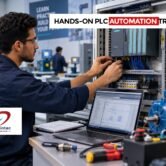
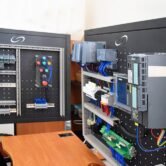
At Soulintec Learning Hub, PLC and industrial automation training focuses on practical, hands-on experience with real industrial equipment and control systems.
The goal is not simply to learn PLC instructions. It is to understand how electrical control, PLC programming, HMI/SCADA, instrumentation, wiring, panel building, and troubleshooting work together in real automation applications.
For engineers and students preparing for a career in industrial automation, hands-on practice can make the difference between knowing PLC theory and being able to work with an actual automation system.
Real Labs. Real Equipment. Real Experience.
Frequently Asked Questions About PLC Interviews
What are the most common PLC interview questions?
Common questions cover PLC fundamentals, scan cycles, digital and analog I/O, ladder logic, timers, counters, interlocks, PLC troubleshooting, industrial communication, and practical control applications.
Are PLC interview questions difficult for fresh graduates?
They can be challenging if you have only studied PLC theory. Fresh graduates should focus on understanding basic electrical control, PLC I/O, ladder logic, sensors, motors, troubleshooting, and simple automation sequences.
What PLC should I learn first?
Siemens S7-1200 and S7-1500 are strong platforms to learn, particularly for engineers targeting industrial automation applications where Siemens systems are widely used.
Is PLC programming enough to become an Automation Engineer?
PLC programming is an important skill, but a professional Automation Engineer also needs knowledge of electrical control, instrumentation, HMI/SCADA, industrial communication, drives, troubleshooting, and industrial safety.
What should I practice before a PLC interview?
Practice complete automation problems such as motor control, conveyor sequences, sensor-based control, timers, counters, interlocks, alarms, HMI operation, and troubleshooting real or simulated PLC systems.
Why is troubleshooting important for an Automation Engineer?
Industrial automation systems eventually experience electrical, programming, instrumentation, communication, and mechanical problems. The ability to identify the root cause systematically is one of the most valuable skills an Automation Engineer can develop.
Learn. Practice. Build. Troubleshoot.
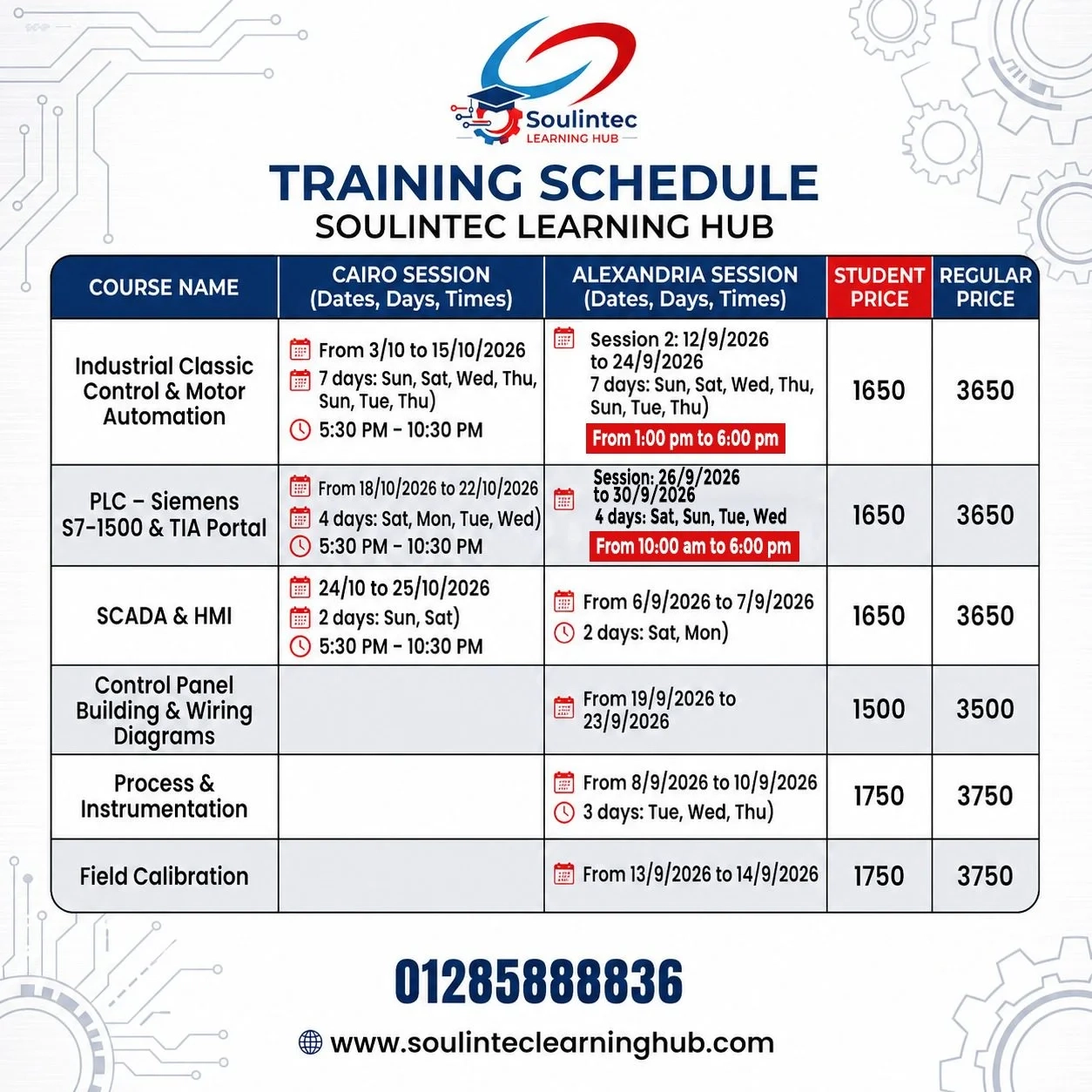
Explore the available courses and training programs at:
Don’t wait until your first job to start learning how industrial automation works.
Start building the practical skills now, so when the opportunity comes, you are ready for it.