

PLC Programming : A Practical Guide
PLC Programming: A Practical Guide for Beginners in Industrial Automation
PLC programming is one of the most important skills in modern industrial automation.
From manufacturing plants and water treatment systems to energy, oil and gas, and process industries, Programmable Logic Controllers are used to control machines, motors, production sequences, sensors, valves, and many other industrial processes.
For electrical engineers, mechatronics engineers, technicians, engineering students, and fresh graduates, learning PLC programming can be an important step toward working in industrial automation.
However, learning PLC programming is not simply about learning software.
A capable PLC programmer needs to understand the relationship between electrical control circuits, sensors, actuators, PLC hardware, industrial networks, HMI, SCADA, and the physical machine.
This is why practical training is important.
In this guide, we will explain what PLC programming is, how a PLC works, what you should learn first, which programming concepts are important, and how practical PLC training can help you develop real industrial automation skills.
What Is a PLC?
PLC stands for Programmable Logic Controller.
A PLC is an industrial computer designed to monitor inputs, execute a control program, and operate outputs according to programmed logic.
Unlike a conventional computer, a PLC is designed to operate in industrial environments and interact directly with machines and field devices.
A typical PLC system can receive signals from:
- Push buttons
- Limit switches
- Proximity sensors
- Photoelectric sensors
- Pressure switches
- Level switches
- Temperature instruments
- Flow instruments
The PLC processes these signals according to the programmed logic and then controls outputs such as:
- Contactors
- Solenoid valves
- Motors
- Relays
- Indicator lamps
- Control valves
- Variable frequency drives
- Other industrial equipment
The basic idea is simple:
Inputs → PLC Program → Outputs
But real industrial automation systems can become much more complex when multiple machines, sensors, communication networks, HMIs, drives, and process instruments are involved.
How Does a PLC Work?
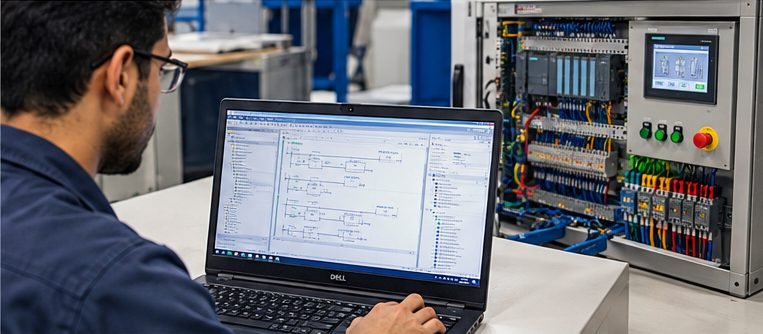
A PLC continuously performs a basic operating cycle.
The PLC reads the status of its inputs, executes the user program, and updates its outputs.
This process happens repeatedly and very quickly.
For example, imagine a motor control system.
A Start push button is connected to a PLC input.
When the operator presses the Start button:
- The PLC detects the input.
- The PLC executes the programmed logic.
- The logic determines whether the motor is allowed to start.
- The PLC activates an output.
- The output energizes the motor control circuit.
- The motor starts.
The PLC can also check safety conditions, interlocks, sensors, alarms, and other conditions before allowing the motor to operate.
This is one of the reasons PLC programming is so important in industrial automation.
PLC Hardware Components
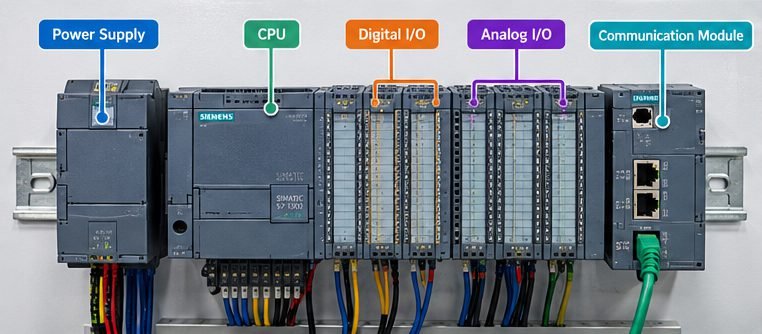
Before learning PLC programming, it is important to understand the hardware you are programming.
A typical PLC system can include several components.
CPU
The CPU is the main processing unit of the PLC.
It executes the PLC program and manages the operation of the control system.
Digital Inputs
Digital inputs receive ON/OFF signals.
Examples include:
- Push buttons
- Limit switches
- Proximity sensors
- Selector switches
- Digital alarms
A digital input generally has two states:
ON or OFF.
Digital Outputs
Digital outputs control external devices.
Examples include:
- Contactors
- Solenoid valves
- Relays
- Indicator lamps
Analog Inputs
Analog inputs are used when a device provides a continuously varying signal.
Examples include:
- Pressure transmitters
- Temperature transmitters
- Flow transmitters
- Level transmitters
Common industrial analog signals include 4–20 mA and voltage signals such as 0–10 V.
Analog Outputs
Analog outputs allow the PLC to send a variable control signal to another device.
For example, an analog output can be used to send a speed reference to a variable frequency drive.
Communication Modules
Modern PLC systems often communicate with HMIs, SCADA systems, drives, remote I/O, and other controllers.
Understanding industrial communication therefore becomes an important part of advanced PLC work.
What Is PLC Programming?
PLC programming is the process of creating the logic that tells the PLC how the machine or industrial process should operate.
For example, a simple motor control program might contain logic such as:
If the Start button is pressed and the Stop button is not active, start the motor.
If an emergency condition occurs, stop the motor.
If an overload occurs, stop the motor and activate an alarm.
If a required sensor is not detected, prevent the motor from starting.
The PLC programmer converts the required sequence of operation into logical instructions that the PLC can execute.
This requires more than knowing programming commands.
You need to understand the machine and the control process.
PLC Programming Languages
There are several programming languages used in PLC systems.
The most common languages beginners encounter include Ladder Logic, Function Block Diagram, and Structured Text.
Ladder Logic
Ladder Logic is one of the most widely used PLC programming methods.
Its structure resembles traditional electrical control circuits, which makes it particularly useful for engineers and technicians who already understand relays, contactors, push buttons, and motor control.
For example, a traditional motor control circuit may use a Start push button, Stop push button, contactor, and auxiliary contact.
The same control concept can be implemented using PLC Ladder Logic.
This connection between electrical control and PLC programming is one reason why learning Classic Control before PLC programming can be useful.
Function Block Diagram
Function Block Diagram uses graphical blocks to represent control functions.
It can be useful for more structured control applications and systems involving multiple functional blocks.
Structured Text
Structured Text is a text-based programming language used for PLC applications.
It can be particularly useful for more complex calculations, data processing, and structured programming.
For beginners, however, understanding the fundamental control logic is often more important than trying to learn every programming language immediately.
Why Should You Learn Classic Control Before PLC?
PLC systems did not eliminate the importance of electrical control knowledge.
A PLC is still controlling real electrical and mechanical equipment.
If you understand how contactors, overload relays, motors, interlocks, and control circuits work, it becomes easier to understand what the PLC program is actually doing.
For example, consider a motor Forward/Reverse system.
You need to understand:
- Forward command
- Reverse command
- Electrical interlocking
- Mechanical interlocking
- Motor protection
- Contactor operation
- Stop conditions
Then you can translate that control concept into PLC logic.
This is why a practical automation learning path can start with Classic Control and Motor Control before moving into PLC programming.
Soulintec provides hands-on training in Classic Control and Motor Automation:
PLC Inputs and Outputs
Understanding I/O is fundamental to PLC programming.
I/O means Input/Output.
The PLC receives information from the field through inputs and sends commands to equipment through outputs.
For example:
Sensor → PLC Input
PLC Logic → PLC Output
PLC Output → Contactor
Contactor → Motor
This chain is simple, but troubleshooting it requires understanding every stage.
A motor that does not start may have a PLC programming problem.
But it could also be:
- A faulty sensor
- Incorrect wiring
- A damaged input module
- A missing power supply
- An interlock condition
- A faulty output
- A contactor problem
- An overload trip
- A motor problem
This is why PLC training should include troubleshooting rather than programming alone.
Timers and Counters
Timers and counters are fundamental PLC programming functions.
Timers
Timers can be used to introduce delays into a control sequence.
For example:
Start Motor → Wait 5 Seconds → Start Second Motor
Timers can also be used for:
- Delayed starts
- Delayed stops
- Sequence control
- Alarm delays
- Process timing
Counters
Counters allow the PLC to count events.
For example:
A sensor detects a product.
Each detection increases the counter by one.
When the counter reaches a specified value, the PLC can stop the machine or activate another operation.
Counters are widely used in production and machine automation applications.
Motor Control With a PLC
Motor control is one of the most common practical applications of PLC programming.
A PLC can control motors through contactors, soft starters, or variable frequency drives.
A typical application could include:
Start button
Stop button
Motor overload
PLC
Contactor
Motor
The PLC can also implement additional logic such as:
- Forward/Reverse operation
- Interlocking
- Automatic starting
- Sequential motor operation
- Fault detection
- Emergency stop conditions
- Runtime monitoring
Understanding motor control gives beginners a practical way to connect PLC logic with real industrial equipment.
PLC Interlocks
Interlocks are extremely important in industrial automation.
An interlock prevents an unsafe or incorrect operation from occurring.
For example, a Forward motor command and Reverse motor command should not be allowed to operate simultaneously.
The PLC can include logic that prevents the Reverse output from activating while Forward is active.
Similarly, a pump may only be allowed to start when a required valve is open.
An industrial machine may only operate when safety and process conditions are satisfied.
Interlocks therefore play an important role in both automation and equipment protection.
What Is TIA Portal?
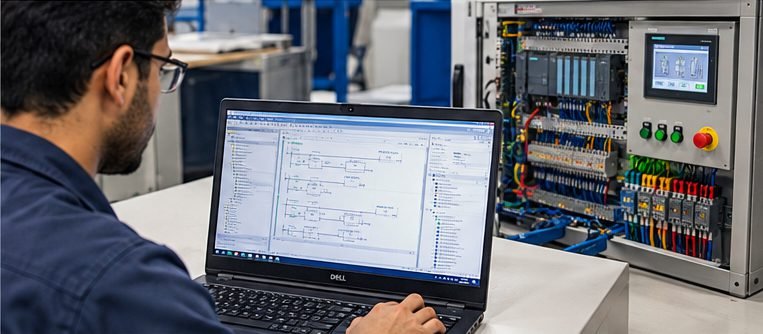
TIA Portal is Siemens’ engineering environment used for configuring and programming compatible Siemens automation systems.
It provides an integrated environment for working with PLCs and other automation components.
Depending on the system configuration, engineers can use TIA Portal for tasks such as:
- PLC hardware configuration
- PLC programming
- I/O configuration
- HMI engineering
- Diagnostics
- Communication configuration
- Testing and commissioning
For engineers interested in Siemens automation, learning TIA Portal can therefore be an important practical skill.
Siemens S7-1200 and S7-1500
Siemens offers several PLC families for different applications.
Two commonly encountered platforms are the S7-1200 and S7-1500.
The S7-1200 is widely used for smaller and mid-sized automation applications.
The S7-1500 is designed for more demanding automation applications and provides a broader range of performance and system capabilities.
When learning Siemens PLC programming, it is useful to understand the fundamentals of the platform you are actually going to work with rather than learning programming concepts in isolation.
What Should You Learn in a Practical PLC Course?
A practical PLC course should go beyond explaining programming instructions.
A useful training path should include several areas.
PLC Fundamentals
You should understand:
- PLC architecture
- CPU
- Digital I/O
- Analog I/O
- Power supplies
- Communication modules
- PLC operating cycle
Ladder Logic
You should learn how to create and understand:
- Contacts
- Coils
- Internal memory
- Timers
- Counters
- Interlocks
- Basic sequences
Hardware Configuration
You should understand how PLC hardware is configured and how field devices connect to the controller.
Sensors and Actuators
You should learn how PLCs interact with real field devices.
This includes understanding how signals from sensors reach the PLC and how outputs control industrial equipment.
Troubleshooting
You should practice finding faults rather than simply creating programs that work perfectly the first time.
This can include:
- Input faults
- Output faults
- Wiring problems
- Logic errors
- Communication problems
- Sensor problems
- Motor control faults
Commissioning
PLC programming does not end when the program is written.
The system must be tested and commissioned.
This means checking the actual hardware, I/O signals, logic, sequences, alarms, and machine operation.
Why Practical PLC Training Matters
One of the biggest differences between theoretical PLC learning and practical automation work is the physical system.
When learning only from software simulations, everything can appear simple.
In an industrial environment, problems can occur at many different levels.
A sensor may not work.
A wire may be incorrectly connected.
An input may not change state.
A contactor may not energize.
A motor may be overloaded.
A PLC output may be programmed incorrectly.
A communication connection may fail.
The ability to identify the actual source of a problem develops through practice.
This is why hands-on training can be valuable for students, fresh graduates, technicians, and engineers who have limited exposure to industrial equipment.
PLC Troubleshooting: A Practical Approach
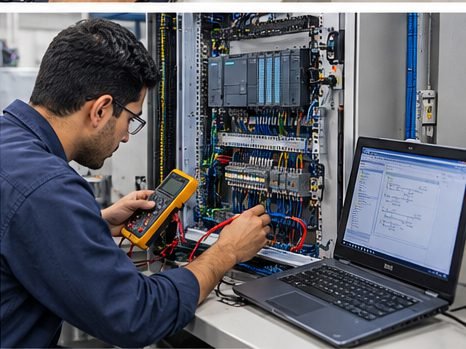
A good automation engineer does not immediately assume that the PLC program is the problem.
Instead, troubleshooting should follow a logical process.
Step 1: Understand the Problem
Determine exactly what is not working.
For example:
“The motor does not start.”
This is more useful than simply saying:
“The PLC is not working.”
Step 2: Check the Physical System
Check:
- Power supply
- Wiring
- Fuses
- Circuit breakers
- Emergency stop conditions
- Sensors
- Overload protection
Step 3: Check PLC Inputs
Determine whether the PLC is receiving the expected signals.
If the Start button is pressed, does the corresponding PLC input change state?
Step 4: Check the Logic
If the input is correct, check the PLC program.
Look for:
- Missing conditions
- Active interlocks
- Incorrect addresses
- Fault conditions
- Incorrect sequence logic
Step 5: Check the Output
If the logic is correct, determine whether the PLC output is activating.
If it is not, the problem may be related to the program, configuration, or PLC hardware.
Step 6: Follow the Signal
Continue following the control signal from the PLC output toward the final equipment.
This systematic approach is more useful than randomly changing program instructions.
PLC and HMI
A PLC controls the machine, but operators often need a human-friendly interface.
This is where HMI comes in.
HMI stands for Human-Machine Interface.
An HMI can allow operators to:
- Start and stop equipment
- View machine status
- Monitor process values
- Change permitted parameters
- View alarms
- Monitor production information
PLC and HMI systems therefore often work together.
The PLC handles the control logic while the HMI provides an interface between the operator and the automation system.
PLC and SCADA
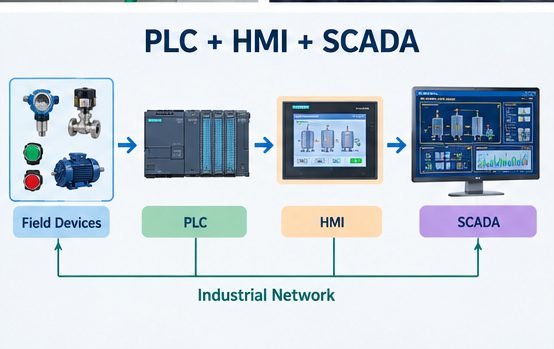
For larger industrial systems, SCADA can provide centralized monitoring and visualization.
SCADA stands for Supervisory Control and Data Acquisition.
SCADA systems can provide:
- Process visualization
- Alarm management
- Historical data
- Trends
- Equipment status
- Industrial communication
- Centralized monitoring
This creates a natural progression for automation engineers:
Classic Control → PLC → HMI → SCADA → Industrial Networking
Soulintec also provides hands-on SCADA training:
PLC I/O Wiring
Programming alone is not enough for an automation engineer.
You also need to understand how the PLC connects to the physical system.
PLC I/O wiring involves connecting field devices to the appropriate input and output channels.
Examples include:
- Push buttons
- Sensors
- Relays
- Contactors
- Solenoid valves
- Analog transmitters
Understanding wiring helps you troubleshoot problems much faster.
Soulintec’s Industrial Wiring training covers electrical drawings, control panel wiring, PLC I/O wiring, testing, and troubleshooting:
From PLC Programming to Automation Engineering
PLC programming is an important skill, but it is only one part of industrial automation.
A complete automation engineer may need knowledge of:
- Electrical control
- PLC programming
- HMI
- SCADA
- Industrial networking
- VFDs
- Instrumentation
- Control panels
- Troubleshooting
- Commissioning
The goal should therefore not be to memorize PLC instructions.
The goal should be to understand how an industrial automation system works as a complete system.
A Practical PLC Learning Path
If you are starting from the beginning, a structured learning path can make the process easier.
Step 1: Electrical Fundamentals
Understand basic electrical circuits, components, protection, and control concepts.
Step 2: Classic Control
Learn contactors, relays, overloads, timers, motor starters, Forward/Reverse, Star-Delta, and control circuits.
Step 3: Industrial Wiring
Learn how to read electrical drawings and connect control panels and PLC I/O.
Step 4: PLC Programming
Learn PLC architecture, Ladder Logic, I/O, timers, counters, interlocks, sequences, and troubleshooting.
Step 5: HMI
Learn how operators interact with machines through HMI systems.
Step 6: SCADA
Learn industrial visualization, alarms, trends, data collection, and PLC-SCADA integration.
Step 7: Drives and Industrial Communication
Expand your knowledge into VFDs, industrial networks, and communication between automation devices.
Step 8: Instrumentation
Understand sensors, transmitters, measurement signals, and field instruments.
Step 9: Practical Projects
Build complete control applications and troubleshoot real faults.
This progression connects individual skills into a complete industrial automation system.
Can an Electrical Engineer Learn PLC Programming?
Yes.
Electrical engineers already have a useful foundation for learning industrial automation because PLC systems interact directly with electrical control systems, motors, sensors, protection devices, and control panels.
However, academic electrical knowledge and practical automation skills are not the same thing.
An electrical engineer moving into automation should develop practical experience with:
- Control circuits
- PLC hardware
- Ladder Logic
- Sensors
- Motors
- Industrial wiring
- HMI
- SCADA
- Troubleshooting
- Commissioning
The same principle applies to engineering students and fresh graduates.
The objective is to move from understanding the theory to being able to work with the actual system.
How Long Does It Take to Learn PLC Programming?
The answer depends on your background, the complexity of the PLC system, and how much practical training you receive.
Someone with electrical control experience may understand basic PLC concepts relatively quickly.
A complete beginner may need more time to understand both the electrical and programming sides.
The important point is that PLC programming should be learned progressively.
Do not focus only on completing lessons.
Focus on what you can actually do.
Can you read the control drawing?
Can you identify PLC inputs and outputs?
Can you write basic Ladder Logic?
Can you understand an interlock?
Can you troubleshoot an input?
Can you determine why an output is not activating?
Can you connect the PLC to an HMI?
These practical abilities are more meaningful than simply knowing programming terminology.
Where to Learn PLC Programming in Egypt?
For students, fresh graduates, engineers, and technicians looking for PLC training in Egypt, the training environment is an important consideration.
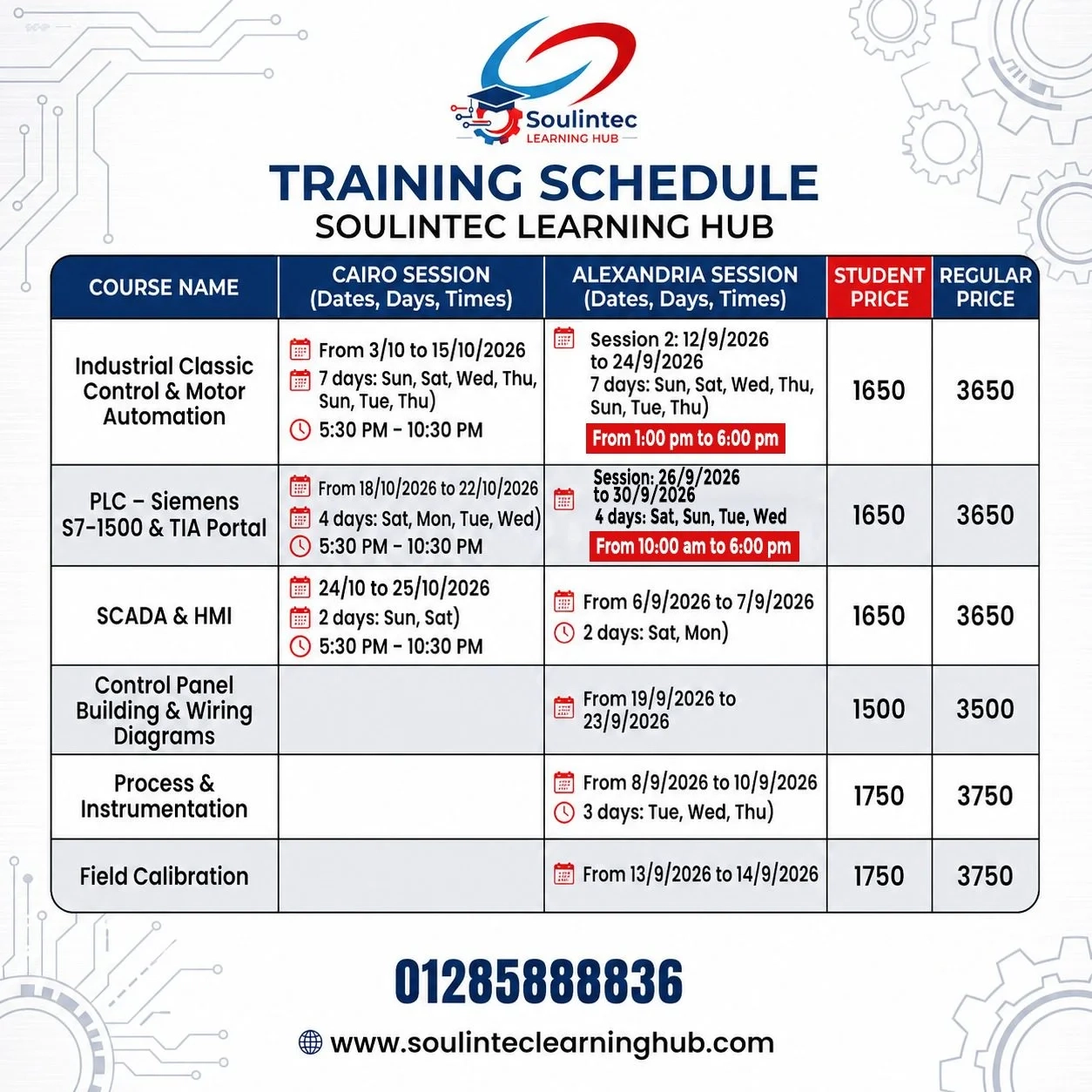
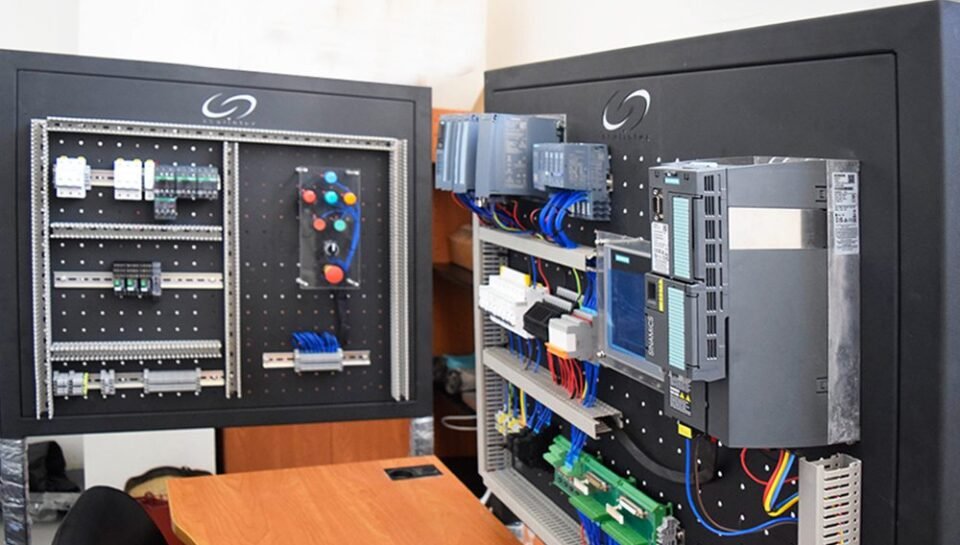
Soulintec Learning Hub provides practical industrial automation training covering PLC, Classic Control, Industrial Wiring, Panel Building, SCADA, Instrumentation, and related engineering skills.
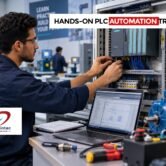
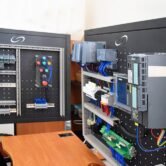
The PLC program focuses on PLC hardware, I/O configuration, Ladder Logic, timers, counters, motor control, communication basics, diagnostics, troubleshooting, commissioning, and hands-on work using industrial PLC training systems.
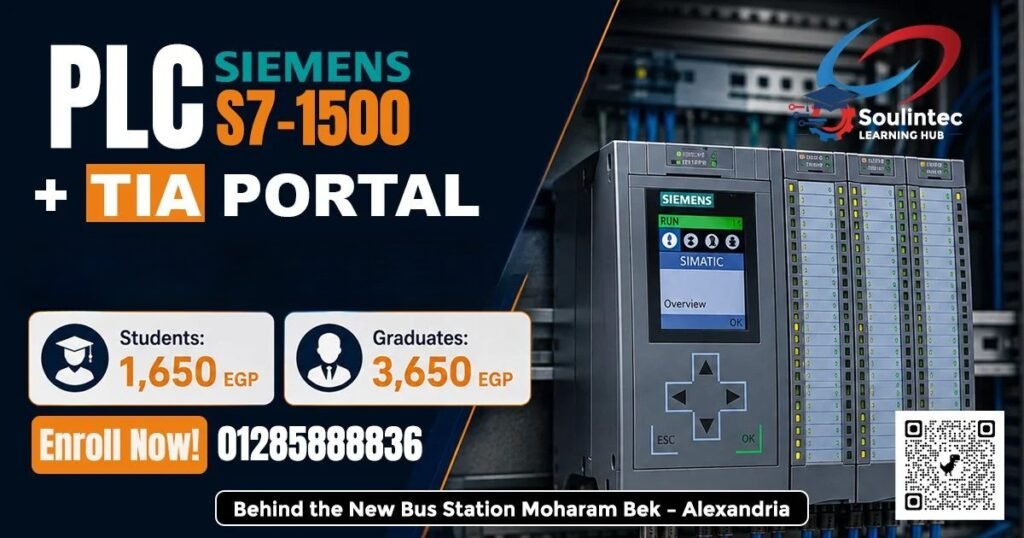
You can explore the PLC training program here:
For learners starting with electrical control fundamentals, the Classic Control course can provide a foundation before moving into PLC programming:
For learners who want to develop panel and wiring skills alongside PLC knowledge:
And for the next stage of automation learning:
PLC Programming Training in Alexandria and Egypt
Learning PLC programming is most useful when it is connected to real industrial applications.
Instead of learning only how to write a program, try to understand the complete system:
Electrical Circuit → Sensors → PLC Inputs → PLC Logic → PLC Outputs → Actuators → Machine
Then add:
PLC → HMI → SCADA → Industrial Network → Data
This broader understanding can help you approach industrial automation problems more effectively.
Soulintec Learning Hub is based in Alexandria and focuses on hands-on industrial training using practical equipment and training systems.
Frequently Asked Questions About PLC Programming
Is PLC programming difficult?
PLC programming can be challenging at first, especially if you are unfamiliar with electrical control systems.
However, the basic concepts are structured and logical.
Starting with electrical control and simple Ladder Logic can make the learning process easier.
Can I learn PLC programming without programming experience?
Yes.
PLC programming is different from learning traditional software development.
Beginners can start with basic logic, inputs, outputs, timers, counters, and sequences.
Understanding electrical control systems can be particularly helpful.
Which PLC should I learn first?
There is no single PLC that is right for every application.
Siemens PLCs are widely used in industrial automation, and learning a Siemens platform with TIA Portal can provide a useful foundation for engineers interested in Siemens-based systems.
Should I learn Classic Control before PLC?
For beginners with limited industrial experience, learning Classic Control first can help build an understanding of motors, contactors, relays, overloads, interlocks, and control circuits.
That knowledge can then be applied to PLC programming.
Is TIA Portal important for automation engineers?
TIA Portal is an important engineering environment for Siemens automation systems.
Learning it can help engineers work with PLC configuration, programming, diagnostics, HMI integration, and other automation tasks depending on the system.
Do I need to learn SCADA after PLC?
Not every PLC programmer needs the same skill set.
However, engineers working with larger industrial systems can benefit from understanding HMI and SCADA because these technologies are commonly used for operator interfaces, monitoring, alarms, trends, and centralized process visualization.
Is PLC programming enough to become an Automation Engineer?
PLC programming is an important skill, but industrial automation involves more than PLC code.
Depending on the role, you may also need knowledge of electrical control, wiring, panels, HMI, SCADA, drives, instrumentation, networking, troubleshooting, and commissioning.
Can fresh graduates learn PLC programming?
Yes.
Fresh graduates can start with electrical control fundamentals and progressively build practical PLC skills.
The most important part is gaining enough practical exposure to understand how PLC programs interact with real equipment.
Final Thoughts
PLC programming is not simply about writing Ladder Logic.
It is about understanding how a control system works.
A PLC programmer needs to understand the relationship between electrical circuits, sensors, actuators, motors, PLC hardware, software, HMI, SCADA, and the physical machine.
For anyone starting a career in industrial automation, a practical learning path can make a significant difference.

Start with the fundamentals.
Understand Classic Control.
Learn industrial wiring.
Move into PLC programming.
Practice with real hardware.
Learn how to troubleshoot.
Then expand into HMI, SCADA, drives, networking, and instrumentation.
The objective is not just to know PLC programming.
The objective is to be able to build, test, troubleshoot, and understand real industrial automation systems.
Real Labs. Real Equipment. Real Experience.
Explore PLC training at Soulintec Learning Hub:
Learn. Practice. Build. Troubleshoot.
Explore the available courses and training programs at:
Don’t wait until your first job to start learning how industrial automation works.
Start building the practical skills now, so when the opportunity comes, you are ready for it.