


SCADA What , Why , How .. Do you I it ?
SCADA: What, Why, How — And Do You Actually Need It?
Supervisory Control and Data Acquisition — the invisible backbone of modern industry.
Imagine trying to manage a 50-mile-long oil pipeline, a city’s water treatment system, or a car factory with 200 robots — by walking around and checking every machine manually. Impossible, right?
That is exactly why SCADA exists. It is the system that brings everything to one screen. Let us break down the What, Why, How — and help you decide if you need it.
1. WHAT is SCADA?
SCADA stands for Supervisory Control and Data Acquisition.
It is a software system that does three essential jobs:
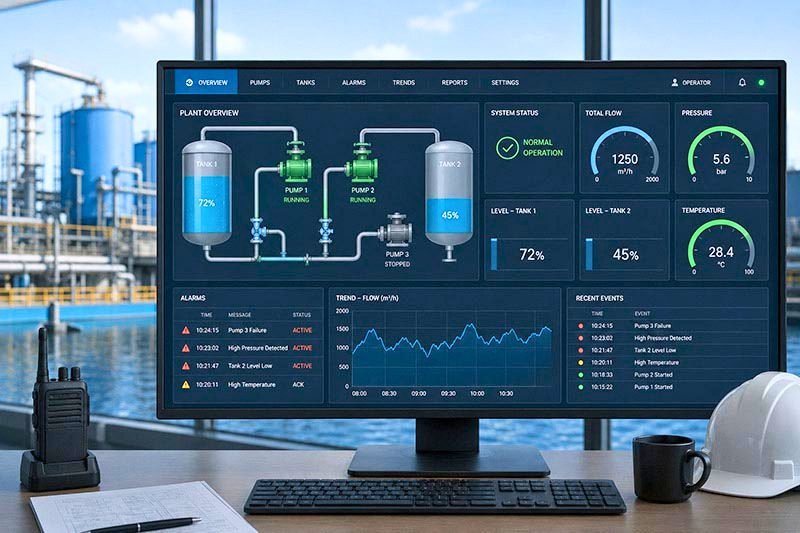
- Supervisory Control: Lets human operators send commands (for example, “increase pump speed”) from a central screen.
- Data Acquisition: Collects real-time data from sensors, meters, and machines (for example, temperature, pressure, flow rate).
- Logging and Alarming: Stores historical data and alerts operators immediately when something goes wrong.
Think of SCADA as the air traffic control tower. You do not fly the planes (that is the pilot or PLC). But you see every plane, track their paths, and can reroute them when needed.
2. WHY do you need SCADA?
Without SCADA, you are blind and deaf to your own operation. Here is what SCADA gives you:
See 10, 100, or 1000 machines on one screen.
Get alarms instantly before a small leak becomes a disaster.
Track trends, prove compliance, and optimize processes over time.
Monitor your plant from home, a hotel, or a smartphone.
3. HOW does SCADA work? (Simple Version)
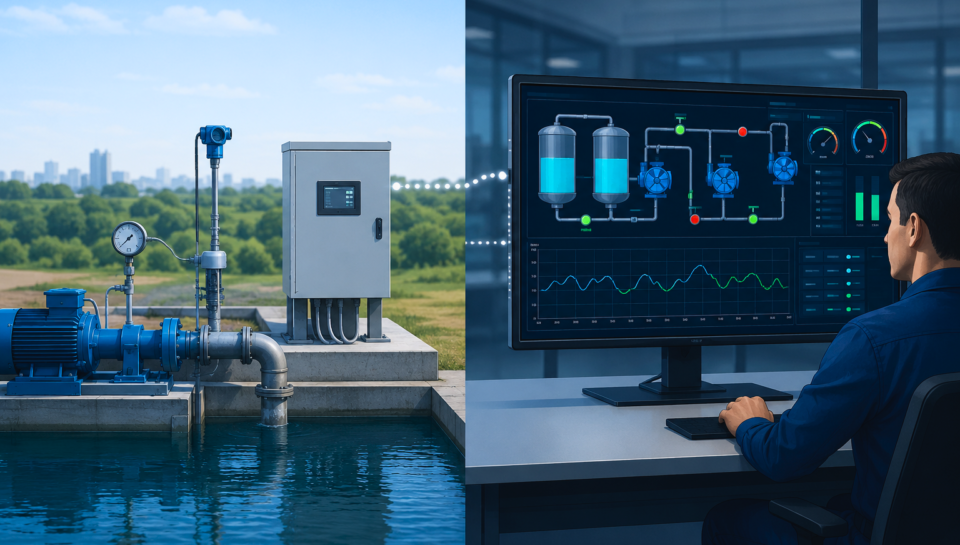
SCADA does not work alone. It is part of a four-layer chain:
- Field Devices: Sensors, meters, pumps — they measure or move things.
- PLCs or RTUs: Local controllers that talk to the field devices.
- Communication Network: Wires, radios, or cellular signals that carry data to the SCADA server.
- SCADA Software and HMI: The central computer that shows graphics, logs data, and lets operators click buttons.
Simple flow: Sensor → PLC → Network → SCADA Screen → Operator sees it → Operator clicks → Command goes back to PLC → Pump turns on.
4. Do YOU need SCADA?
Not every operation needs SCADA. Use this simple decision guide:
| If your situation is… | SCADA needed? |
|---|---|
| One machine with a touchscreen | No — a simple PLC and HMI is enough |
| A small workshop (2 to 5 machines) | Maybe — consider a lightweight SCADA |
| A factory with 20 or more machines or multiple lines | Yes — you need central supervision |
| Remote sites (water wells, pipelines, solar farms) | Yes — SCADA is the only practical solution |
| You need regulatory reports (EPA, FDA, or similar) | Yes — you need data historians |
Real-World Examples of SCADA in Action
Common Myths About SCADA
- Myth: “SCADA controls everything directly.” → Reality: No. SCADA supervises. The PLC does the actual control.
- Myth: “SCADA is too expensive for small business.” → Reality: Not anymore. There are affordable, open-source, and cloud-based SCADA options today.
- Myth: “SCADA is just a fancy screen.” → Reality: No. The fancy screen is the HMI. SCADA includes alarming, historical logging, user permissions, and reporting.
The Bottom Line
SCADA turns chaos into clarity. If you have multiple machines, remote sites, or a need for historical data — you probably need SCADA.
Start small, then scale. A simple SCADA system today beats a crisis tomorrow.
You do not manage what you do not measure. SCADA helps you do both.
Industrial Automation Guide — Learn more about PLCs, SCADA, and smart manufacturing.